Food order app
Designing a mobile ordering app for a hometown restaurant
ROLE
UX Designer
EXPERTISE
Figma, Google Forms, Paper Wireframes
YEAR
2023



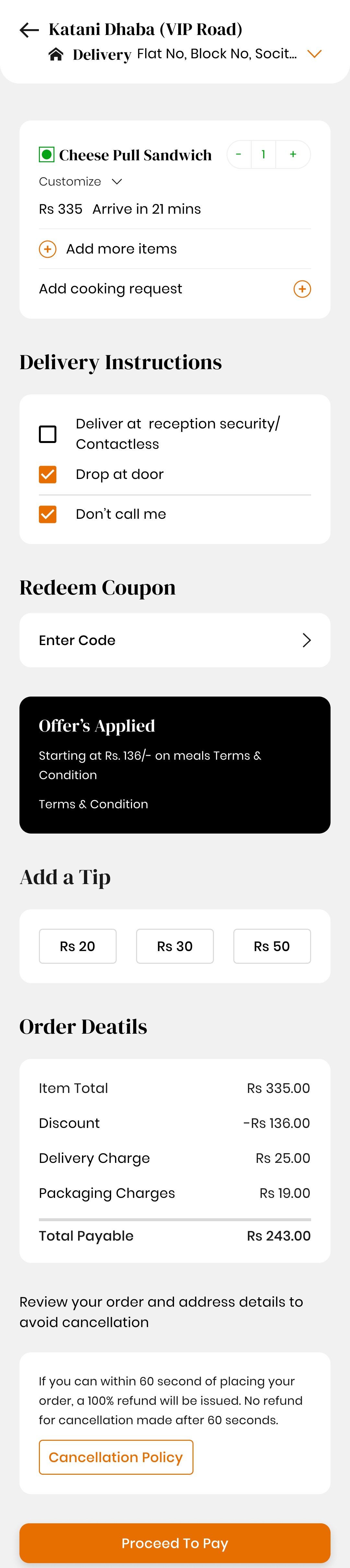
Overview
I designed a mobile ordering app for a local restaurant, focused on helping busy people quickly find, customize, and order meals they love. The app prioritizes ease, speed, and a smooth user experience—from first tap to delivery.
The Problem
Working professionals and busy individuals often lack the time to prepare meals or explore new dining options. Existing ordering experiences are cluttered and time-consuming, leading to frustration.
The Goal
Create a mobile app that enables users to place food orders quickly, customize easily, and receive timely deliveries.
Understanding the User
I conducted surveys and created empathy maps to identify the target group. The primary users were working adults who often do not have time to cook. Research confirmed initial assumptions but also revealed additional barriers—such as work obligations, family responsibilities, and lifestyle challenges.
Pain Points Identified
Food Selection
Overwhelming menus cause decision fatigue.
Payment
Users expect quick, seamless, and secure checkout options.
Delivery & Packaging
Poor tracking and packaging can reduce trust and repeat orders.
Customer Service
Lack of quick issue resolution impacts brand reputation.
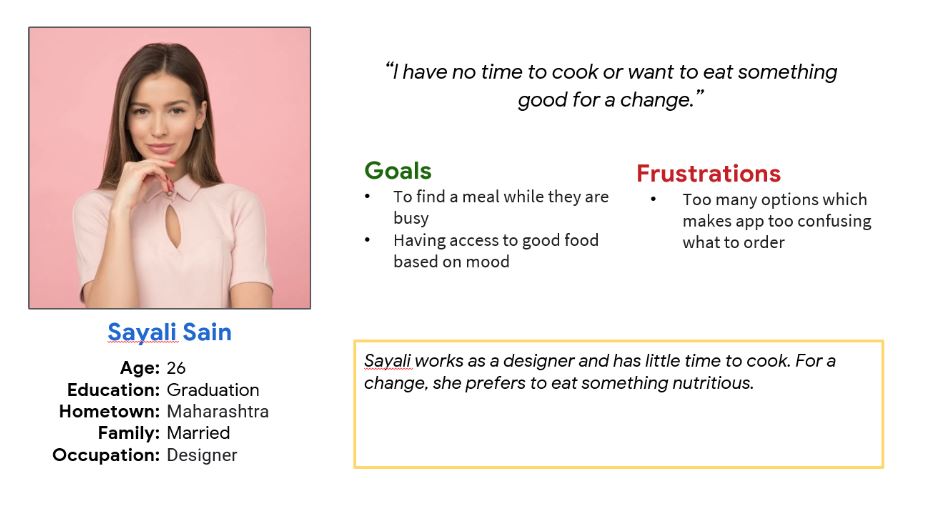
Persona
Sayali – Busy Professional
Needs
Quick, hassle-free meal options.
Problem Statement
Sayali requires a fast and intuitive ordering process because she rarely has time to cook.
Design Process
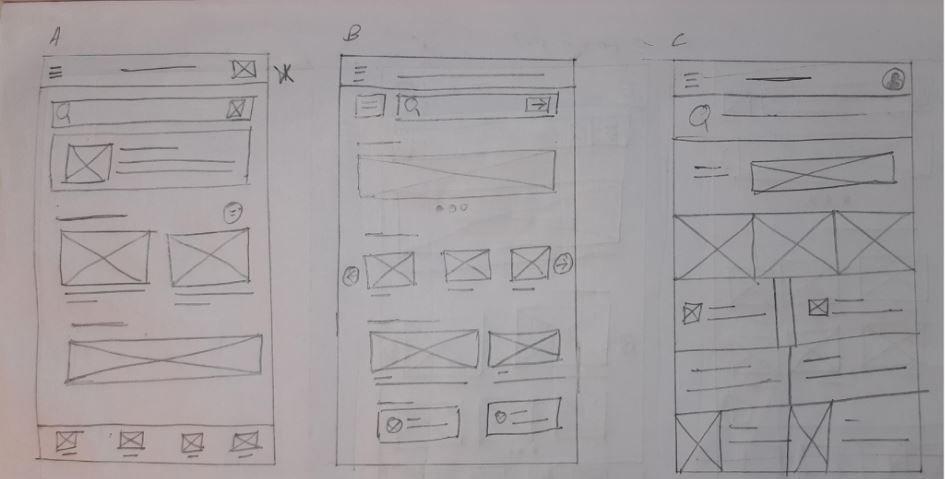
Paper Wireframes
Explored multiple layouts to ensure the design addressed user pain points from the start. Prioritized easy ordering on the home screen.
Digital Wireframes
Added “30-minute delivery” filter.
Simplified navigation for quick ordering.
Added “30-minute delivery” filter.
Clear item details, calorie info, offers, and customization options.
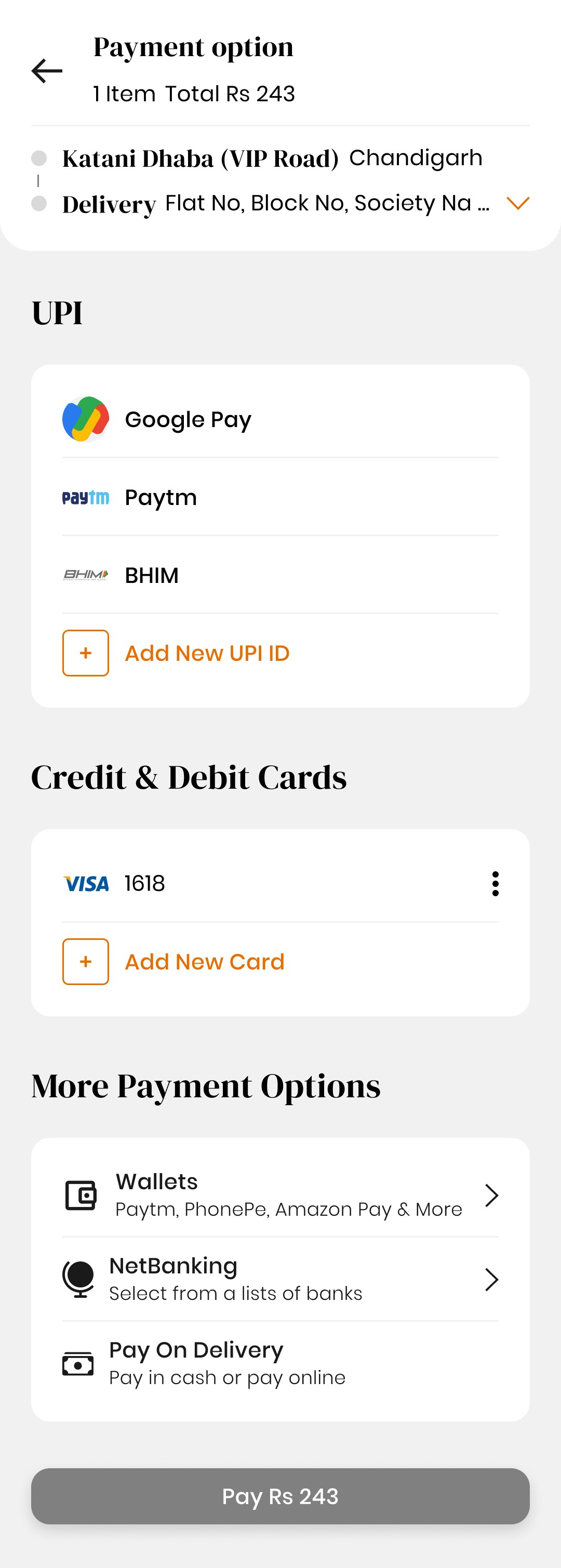
Easy payment setup (credit card).
Features to track past orders, repeat favorites, and save restaurants.
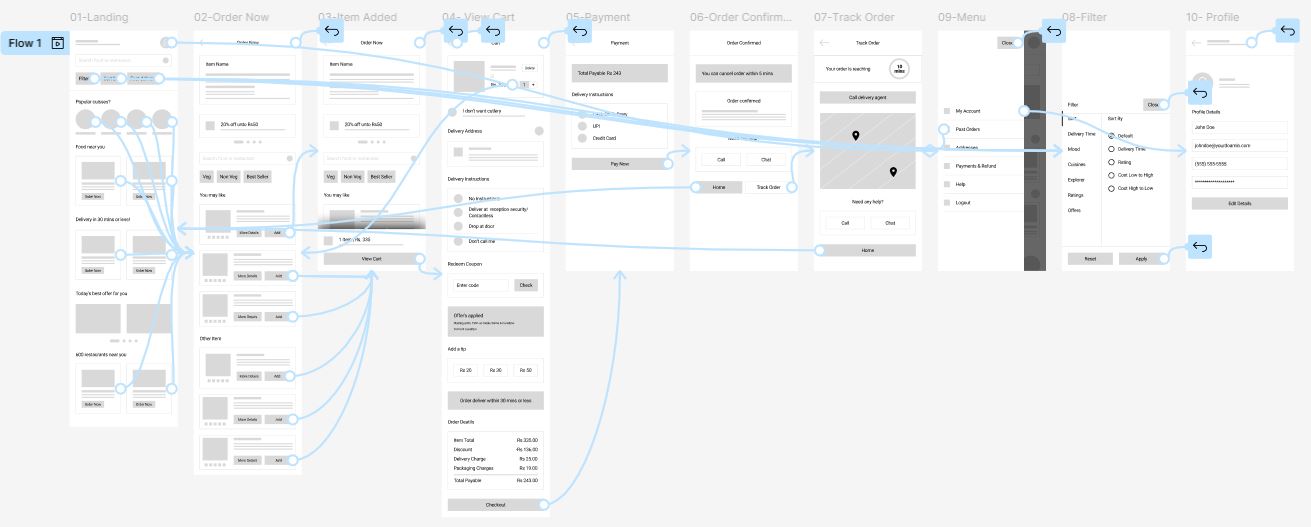
Low-Fidelity Prototype
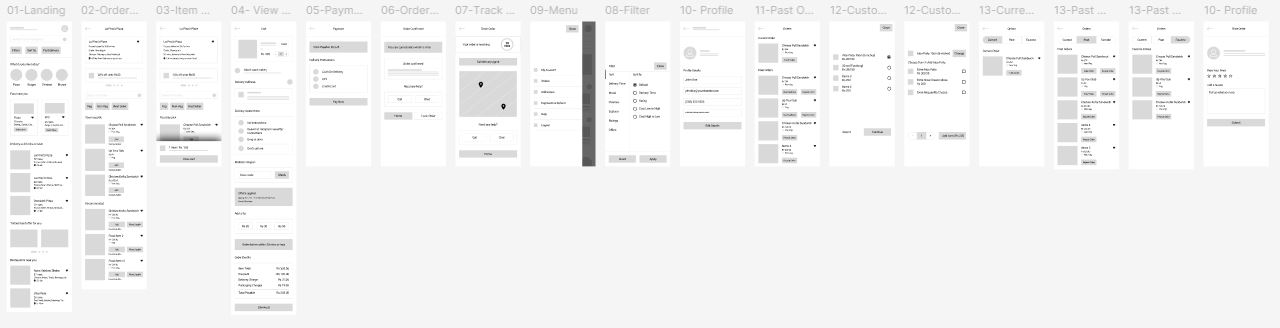
Mapped the primary flow of browsing, customizing, and ordering food for initial usability testing.
Usability Studies
Round 1 Findings
Users wanted more customization options.
Feedback channels were missing.
Round 2 Findings
Users requested better order tracking.
Past order history and re-order features were essential.
Refining the Design
Mockups
Added advanced customization options on the food detail screen.
Integrated “Track Order” screen to show real-time updates.
High-Fidelity Prototype
A polished prototype enabling smooth meal selection, easy customization, and transparent order tracking.
Accessibility Considerations
Added alt text for images to support screen readers.
Used clear, recognizable icons for navigation.
Leveraged high-quality food imagery for better comprehension.
Takeaways
Impact:
The final app design gave users a faster, more personalized ordering experience that balanced usability with accessibility.
What I Learned:
Designing is an iterative process. Each version improved significantly through user research, usability testing, and feedback.